
Evaluations and review
Trade journal
Write down why you took each trade and what you learned.
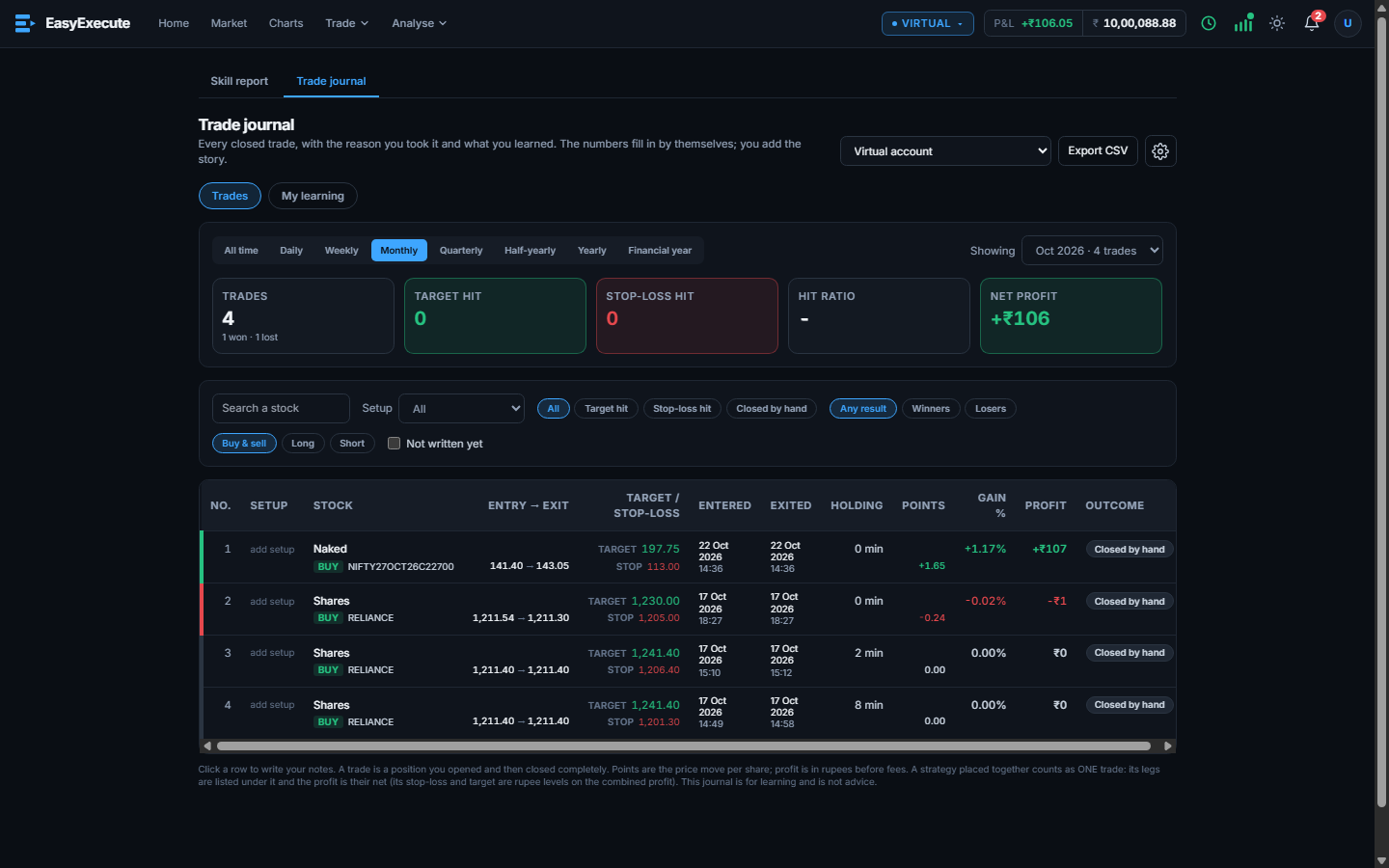
Every closed trade is listed with the numbers filled in for you. You add the story: why you took it and what you learned. It is the second tab of the Skill report page.
What you can do
- Pick the Virtual account, a period (all time, day, week, month, quarter, half-year, year, financial year) and see trades, target hits, stop-loss hits, hit ratio and net profit.
- Filters: search a stock, choose a setup, target hit, stop-loss hit or closed by hand, winners or losers, buy and sell, long or short, and not written yet.
- Click a row to write your notes. The “My learning” tab gathers what you wrote.
- A strategy placed together counts as one trade; its legs are listed under it.
- Export to CSV. The journal is for your Virtual account (and a future live account), not for challenge or contest accounts.