
Professional charts
Candles, indicators and drawing tools on live NSE prices, for stocks, indices, futures and options.
EasyExecute puts professional charts and every order method on one screen. Plan a ladder, a VWAP entry or a three-strike trade, see exactly what it will do, and let it run.
The beta is open only to specific users. Virtual account for now; a live trading account with your broker is coming soon.
Chart it, plan it, execute it, review it. EasyExecute keeps the whole routine of a trader together.
Candles, indicators and drawing tools on live NSE prices, for stocks, indices, futures and options.
Enter and exit big orders the way professionals do: ladders, time slices, icebergs, EMA, VWAP and anchored VWAP.
Put lots on three strikes, each going in when the spot moves, each with its own target and stop-loss in points.
Practise with virtual money. Margin, fees and market hours behave like the real market, so the habit carries over.
Win rate, hit ratio, average profit and loss, and net profit by day, week, month or financial year.
Option chain, open interest, payoff and margin preview before you place anything.
Big players never push one large order into the market. They split it, time it and protect it. Easy Execute gives you the same methods in a simple form.
A price every step, a quantity at each step. Top to down, or down to up.
Your own list of prices and shares.
Equal slices over a set time.
Trade along with the market.
Show only a small clip at a time.
Thousands of lots, cut to the exchange limit per order.
Add on pullbacks to the 20, 50 or 200 EMA.
Trade around the day's average price.
VWAP from a start you pick, or an automatic one.
Lots on many strikes, entered by spot points.
These are screenshots of EasyExecute itself. Each one links to its page in the documentation, which covers every feature.
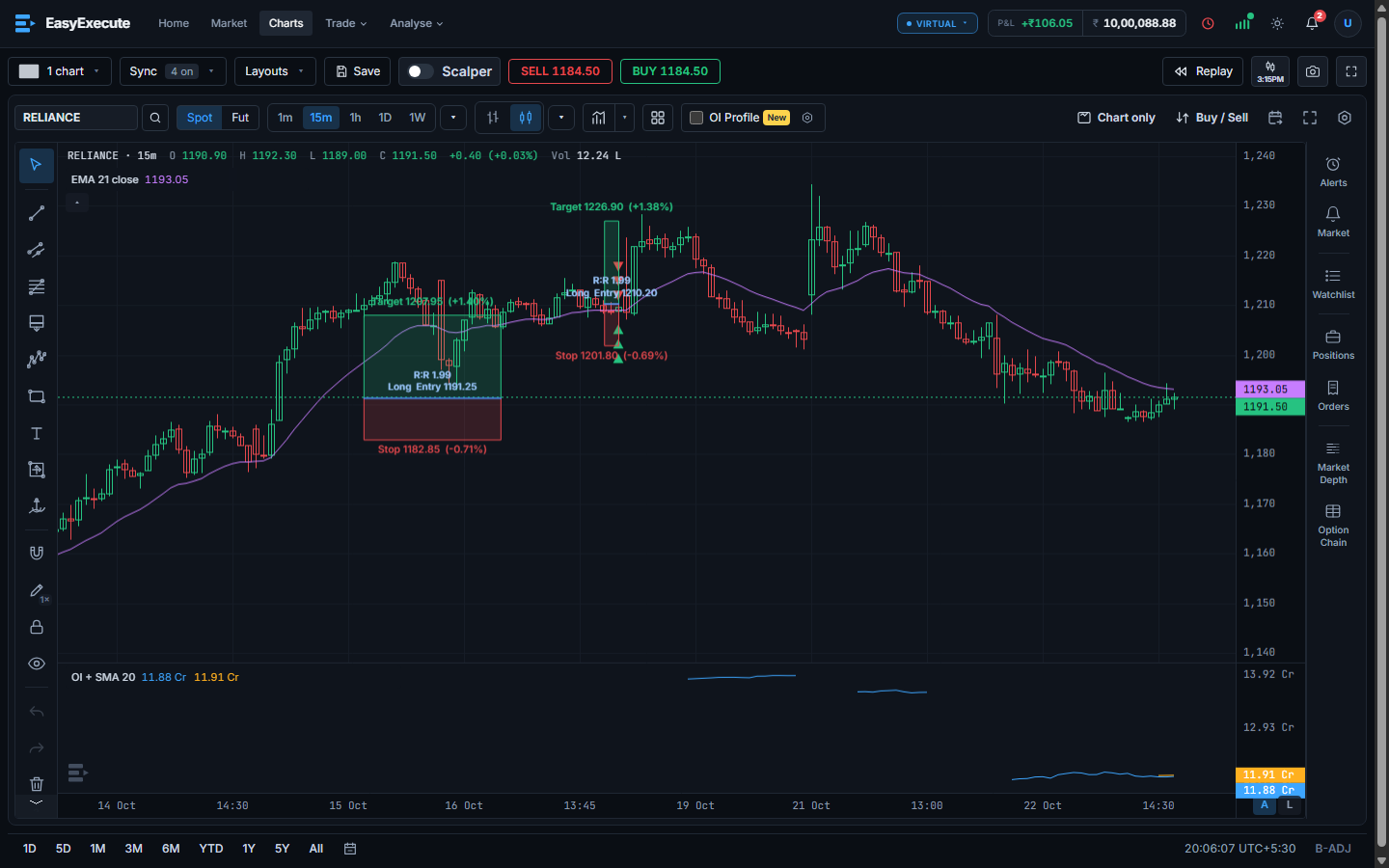
Candlesticks, EMA and VWAP, drawing tools, replay, and Buy / Sell right on the chart.
Read how it works →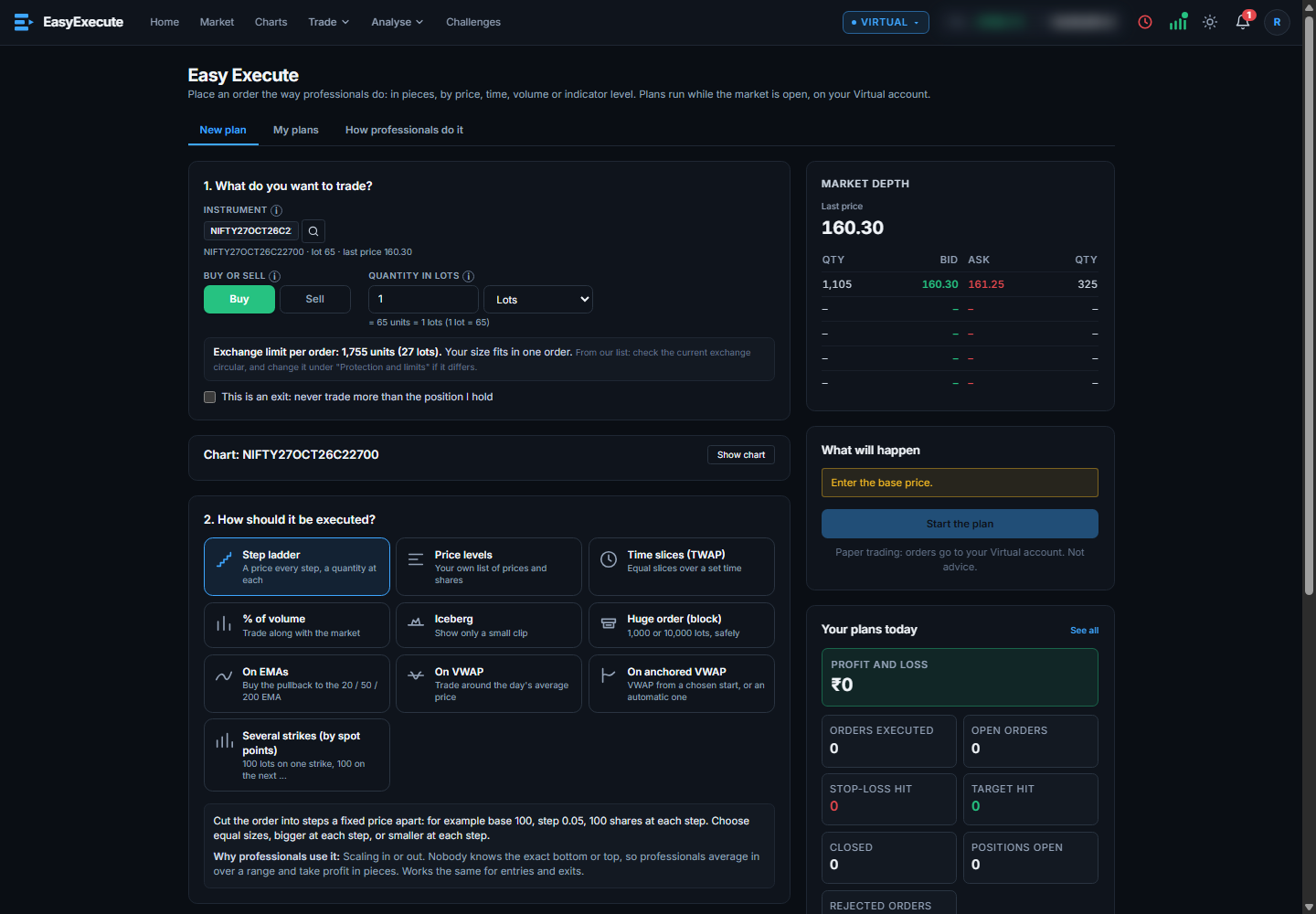
Pick a method, read exactly what the plan will do, and start it. Bid and ask depth sits beside the plan.
Read how it works →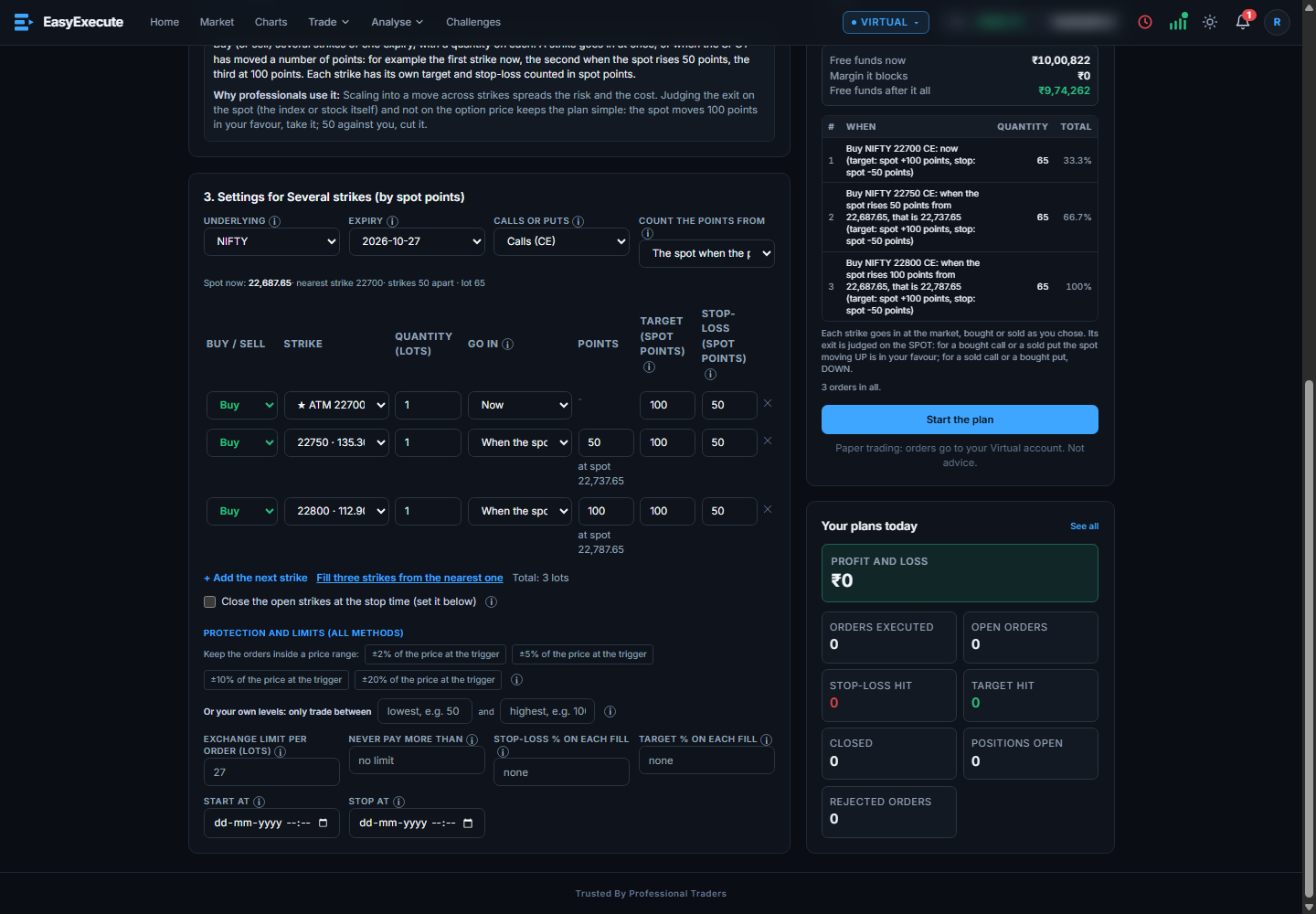
Lots on three strikes. Each goes in when the spot moves, with its own target and stop-loss in points. Mix Buy and Sell.
Read how it works →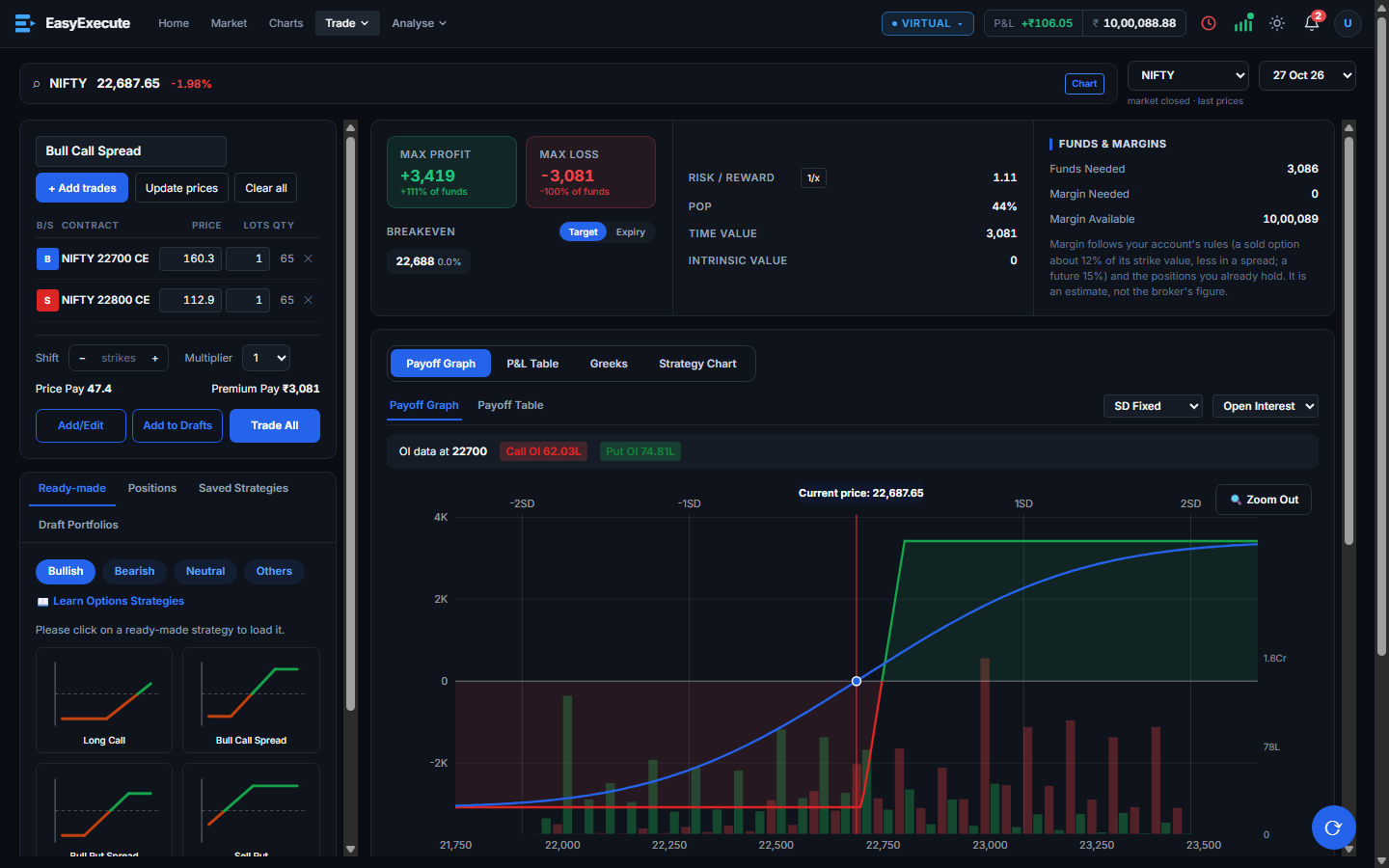
Build an options strategy, see the maximum profit and loss, break-even, margin and payoff graph, then place it in two steps.
Read how it works →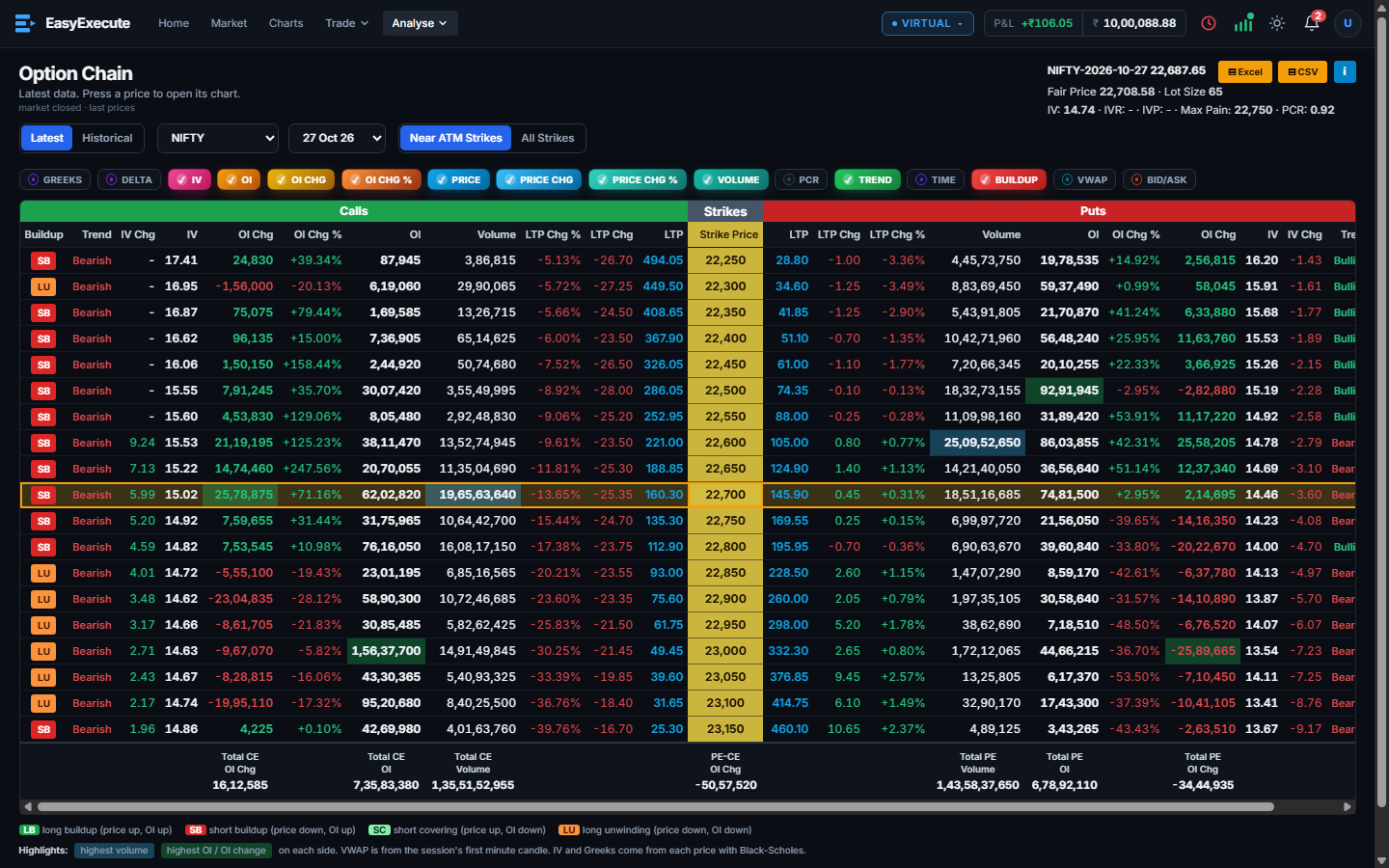
Calls and puts by strike, with IV, build-up labels and the highest volume and OI marked.
Read how it works →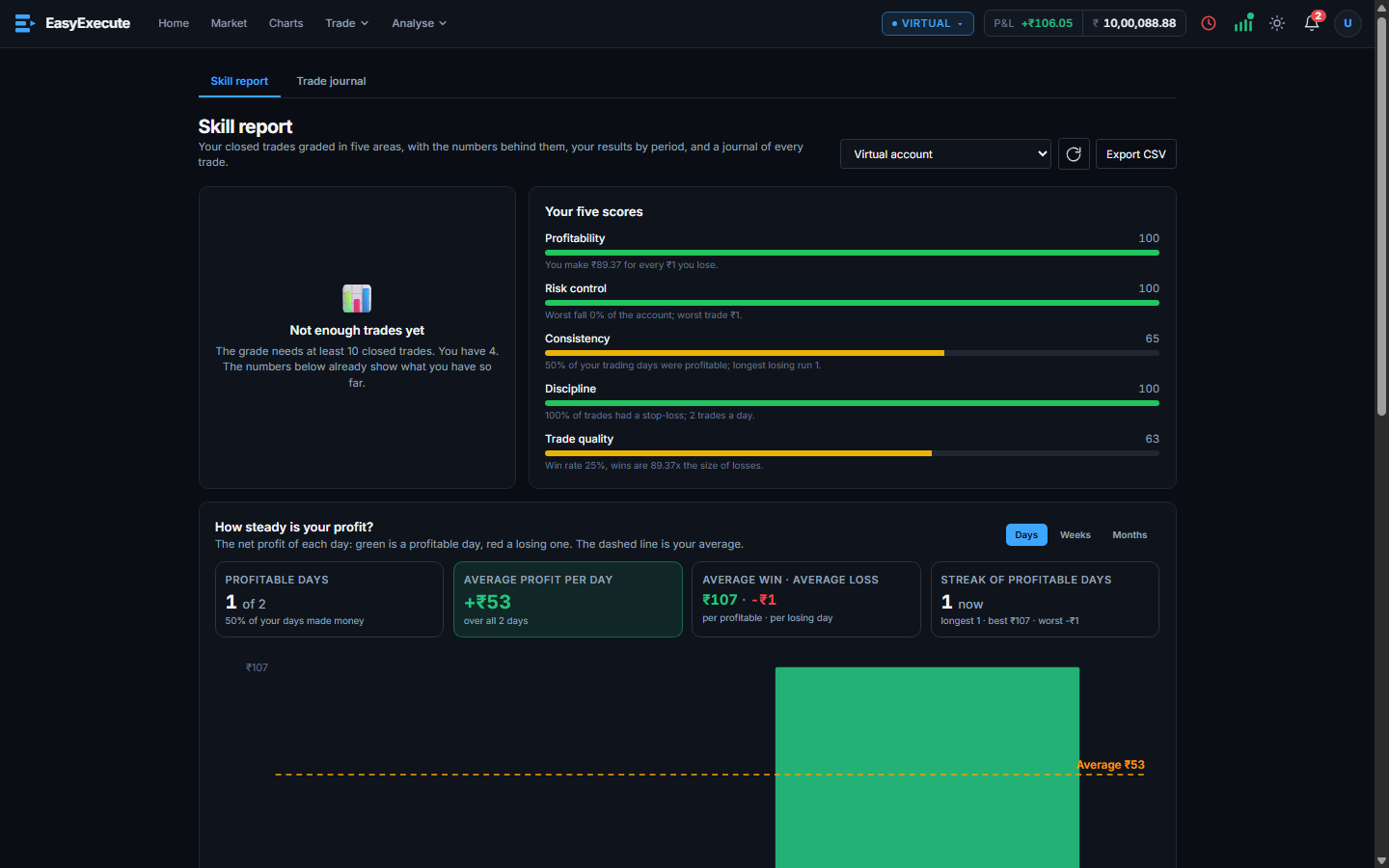
Your closed trades graded in five areas, with results by day, week, month or financial year.
Read how it works →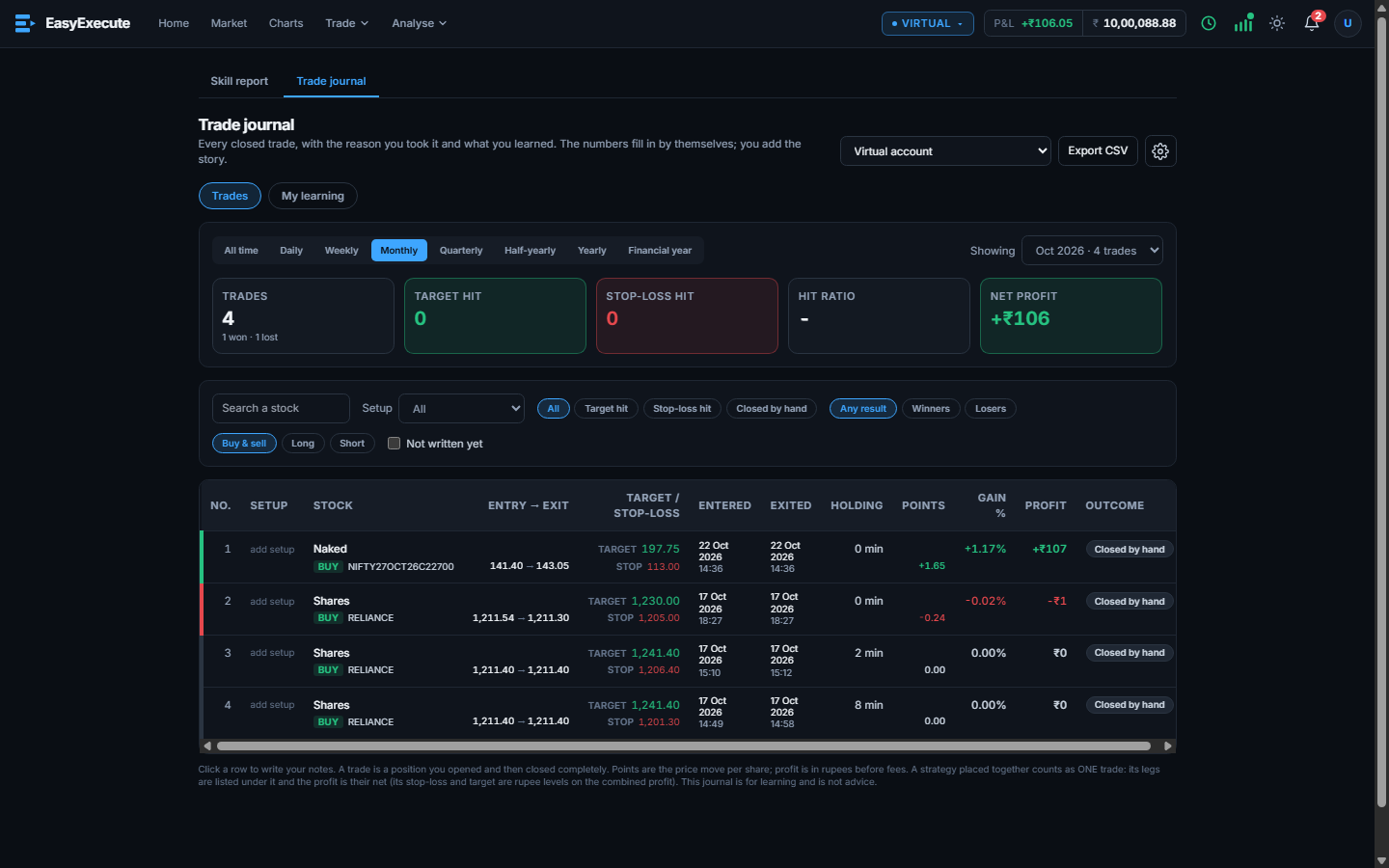
Every closed trade with its entry, exit, target, stop and result. You add why you took it and what you learned.
Read how it works →Search any stock, index, future or option.
Select a method and fill in the plan. Each field has a short note that explains it.
Every order, the margin it needs and the fees are shown before anything is placed.
The plan runs on its own, and shows orders, open positions, stop-loss and target hits and profit and loss.
Honest comparisons and simple guides to charts, execution, options, and your own trading numbers.
EasyExecute is a new charting platform built for Indian traders who find TradingView costly and limited. It gives pro charts on live NSE prices, up to 30 indicators on one chart, up to 9…
On public numbers, EasyExecute allows more indicators per chart (30) and more charts per screen (8) than TradingView’s free, Essential and Plus plans, at a price we plan to keep far lower…
On monthly billing, TradingView’s main paid plans cost about ₹695, ₹2,595 and ₹5,095 a month in India (October 2026 listing). EasyExecute is testing ₹200 to ₹400 and ₹400 to ₹600 a month.…
We are building a charting platform with all the pro features, at a much lower price than TradingView. Would you use it? It takes one minute to tell us.
Not today. Right now orders go to a virtual account with virtual money, so no real orders are placed. In the near future a live trading account will be added: you will be able to connect your broker and trade for real.
Yes. Charts and quotes follow live NSE prices, so what you practise matches the market you will trade.
It turns a trading plan into orders: it splits a big quantity, waits for your prices or indicators, and handles targets and stop-losses for you.
No. EasyExecute gives no advice. It is a tool for practice trading, trade execution and self analysis, using various data. What you do with it is your own decision.
EasyExecute is in beta right now. A small number of users have free trial access. Pricing will be announced before it opens to everyone.
Try the beta, pick a method and watch the plan before it runs. The beta is open only to specific users.