
Professional exits
Professional Target / Stop-loss: overview
Protect a position or a strategy with the stop-loss and target rules professionals use.
A stop-loss limits what you can lose and a target takes your profit. Professional traders use many kinds of both: a fixed distance, an ATR multiple, a swing low, a trailing stop that follows the price, a moving average crossover, a Heikin-Ashi trail. This page lets you set any of them for a position or a whole strategy. The server watches the rules every 2 seconds while the market is open and closes for you.
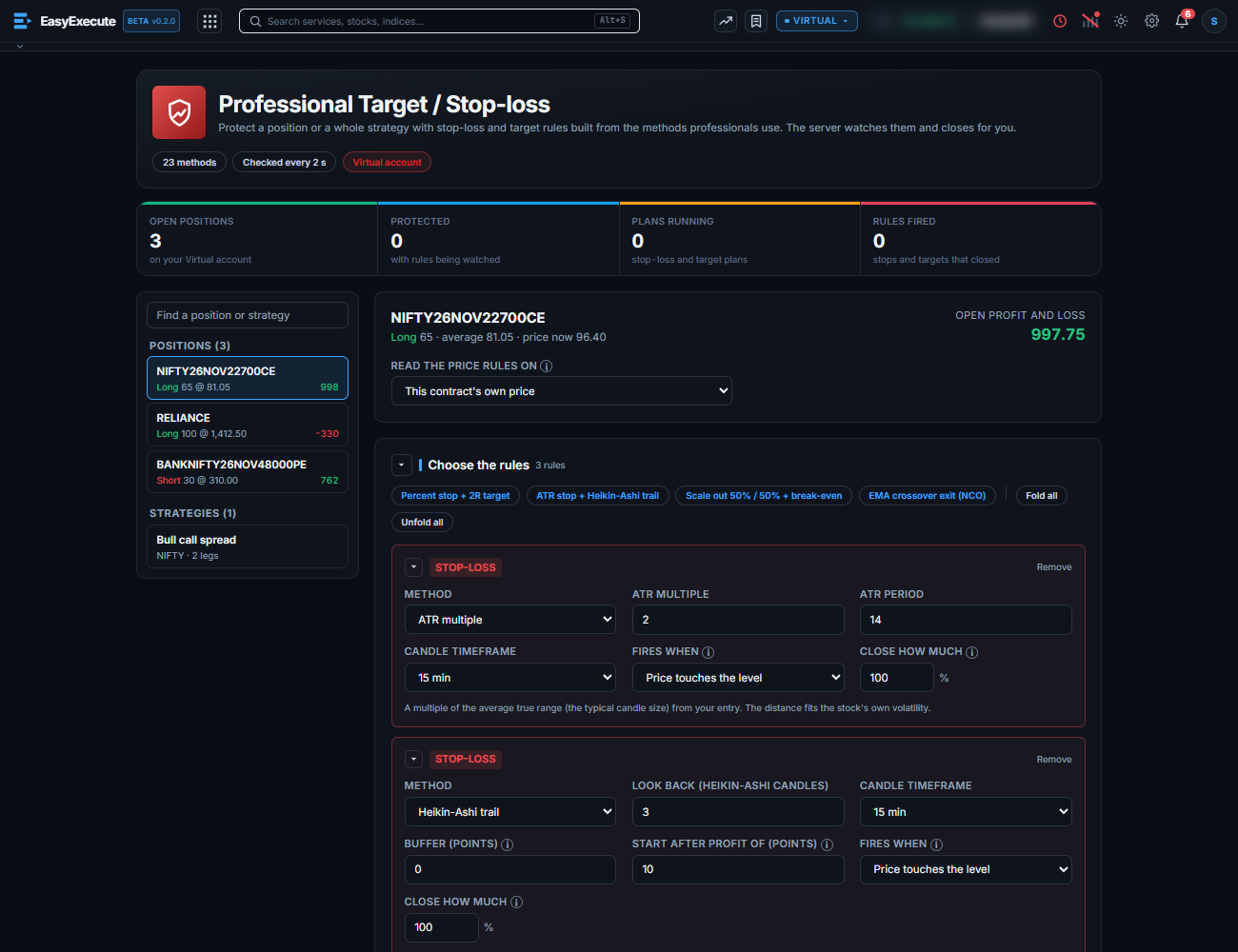
Set it up in five steps
- Open Execute, then Professional Target / Stop-loss. You can also press Set pro exit next to a position on the Positions page.
- Choose a position or a strategy in the list on the left. A green Protected tag shows what already has rules.
- Add rules: a stop-loss or a target, then a method. Four examples are one click away, such as a percent stop with a 2R target, or an ATR stop with a Heikin-Ashi trail.
- For a rule with a price level, choose whether it fires when the price touches the level or only when a candle closes beyond it. Choose how much of the position the rule closes.
- Press Start watching.
Watching a plan
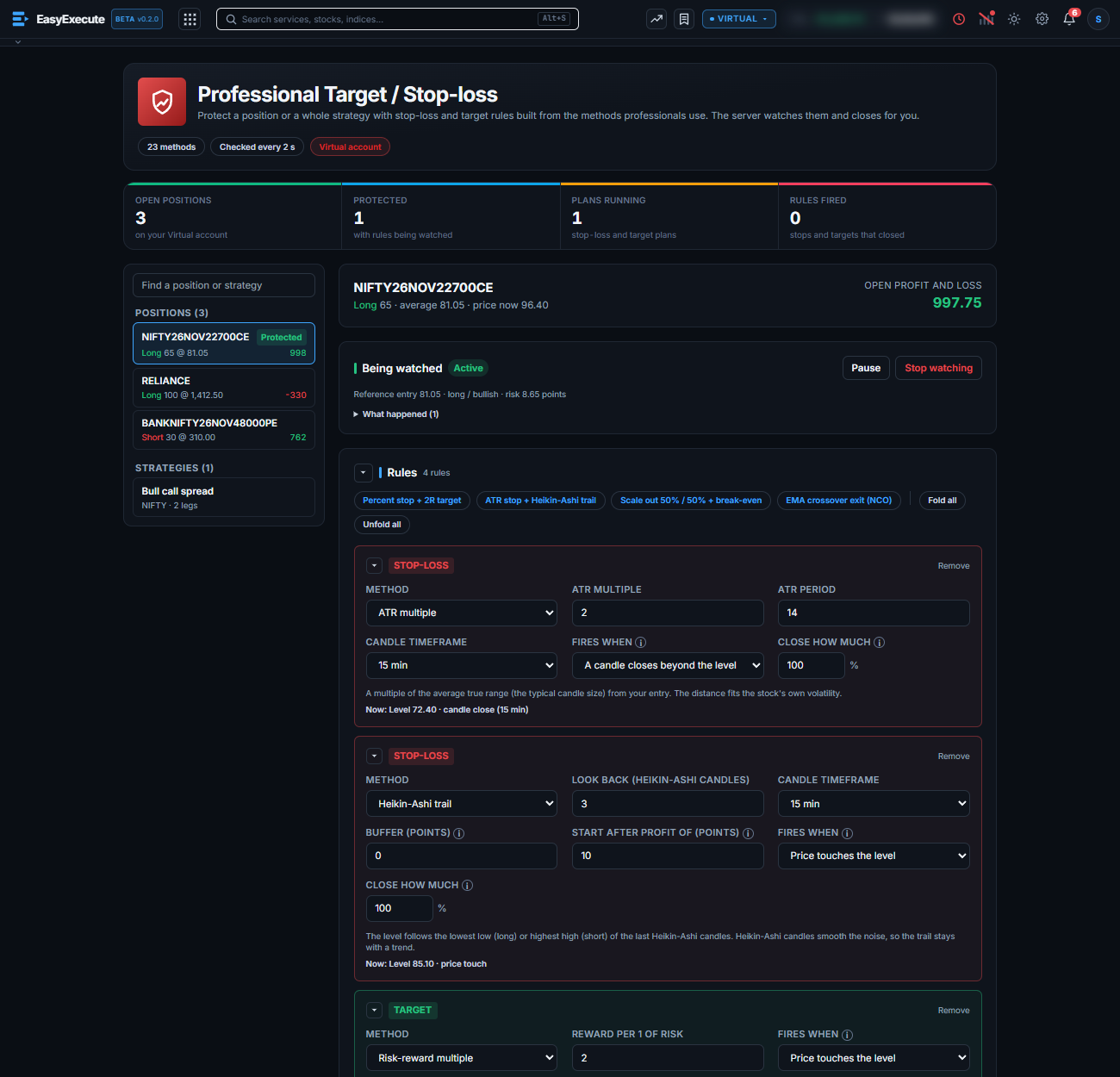
- The strip at the top counts your open positions, how many are protected, plans running and rules fired.
- Under each rule a line shows its level now, for example “Level 72.40 · candle close (15 min)”. Trailing levels move up as the price runs.
- Pause, change or stop a plan at any time. The position stays open. A rule that has already fired stays marked.
- Fold a rule card to one line with the arrow on its left. Fold all and Unfold all are above the rules.
Note. Orders go to your Virtual account only, and only while the market is open. When a rule fires, the server places an ordinary market order for the share you chose.