
Professional exits
Positions and strategies
Set a professional exit from the Positions page, and protect a whole strategy.
From the Positions page
Press Set pro exit next to an open position. The Professional Target / Stop-loss page opens with that position already chosen. On a strategy, press Set professional exit rule.
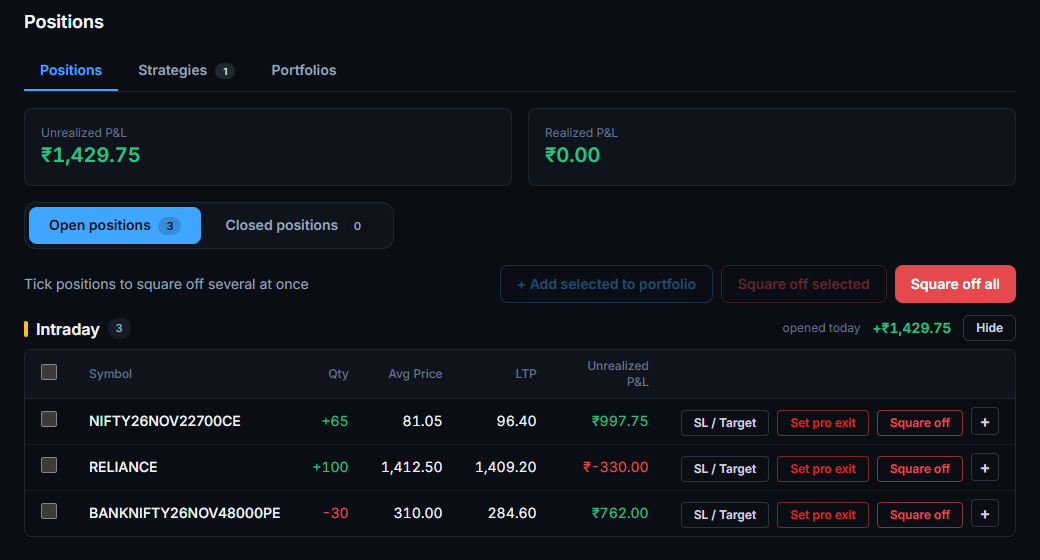
A single position
- The rules read the price of the contract itself.
- For an option you can read the rules on the chart of its underlying instead, for example “exit when NIFTY closes below 22500”. Choose the chart and which way the position gains: up for a bought call or a sold put, down for a bought put or a sold call.
- Rupee rules always use this position's own profit and loss.
A strategy
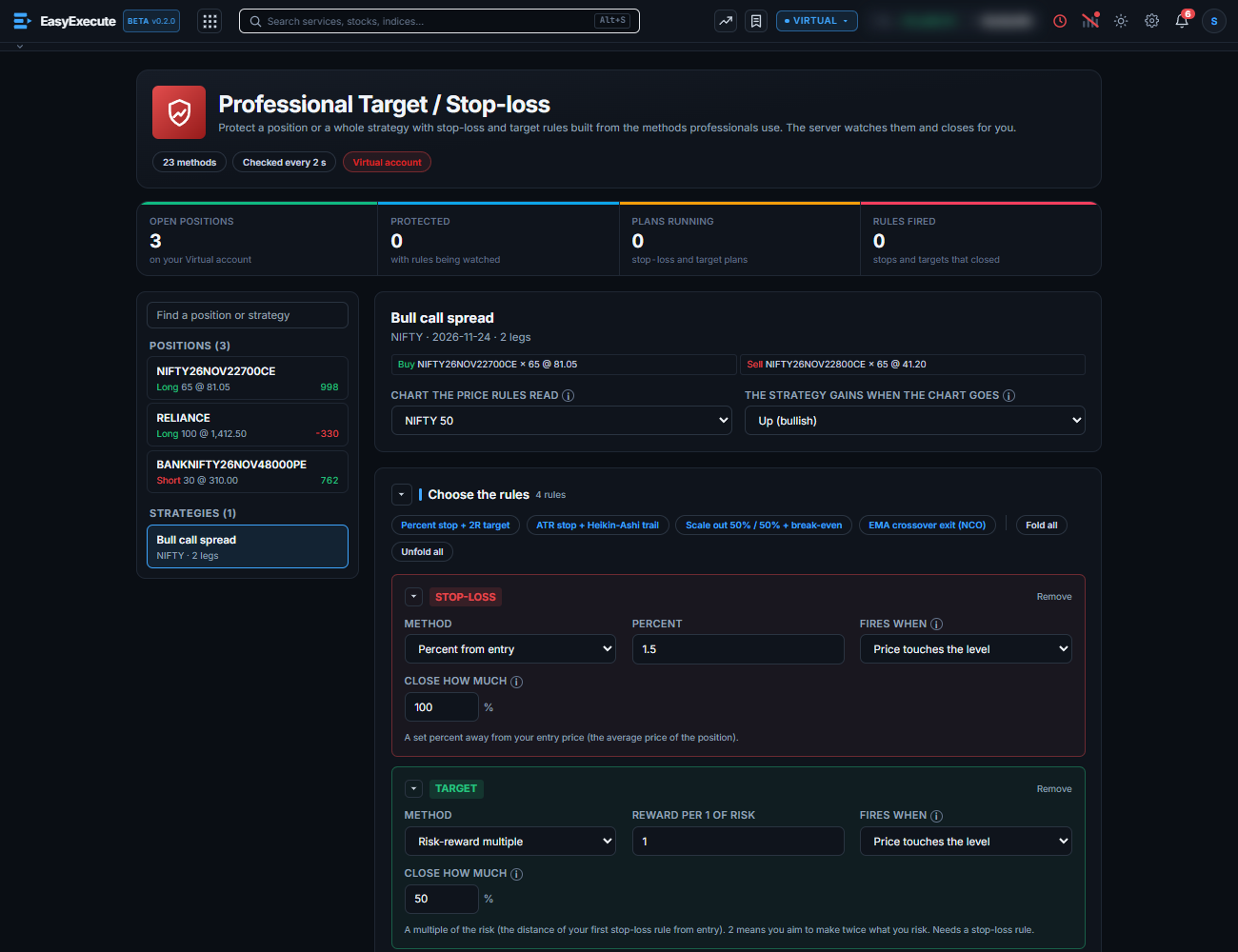
- Strategies come from the Strategy Builder. Choose one on the left.
- Chart the price rules read: usually the index. Direction: we suggest one from your legs, and you can change it.
- Price rules are judged on that chart. Rupee rules use the strategy's combined profit and loss.
- When a rule fires, its share is closed in every leg of the strategy.
Good to know
- One position can have one plan. Change its rules instead of making a second plan.
- If you close the position yourself, the plan finishes on its own.
- Only plans that decide on a candle close are checked every 10 seconds. Any price-touch, trailing or rupee rule is checked every 2 seconds.
Note. Past results do not predict the future. These rules limit risk, but they cannot guarantee a fill at the level: in a fast market the exit order goes in at the market price.