
Trade
Trade checklist
Your own rules, ticked off in a pop-up before every order.
Most bad trades break a rule the trader already knew. The Trade checklist puts your rules in front of you at the one moment that matters: just before an order is sent. It is on by default, and the list is yours to change.
What you can do
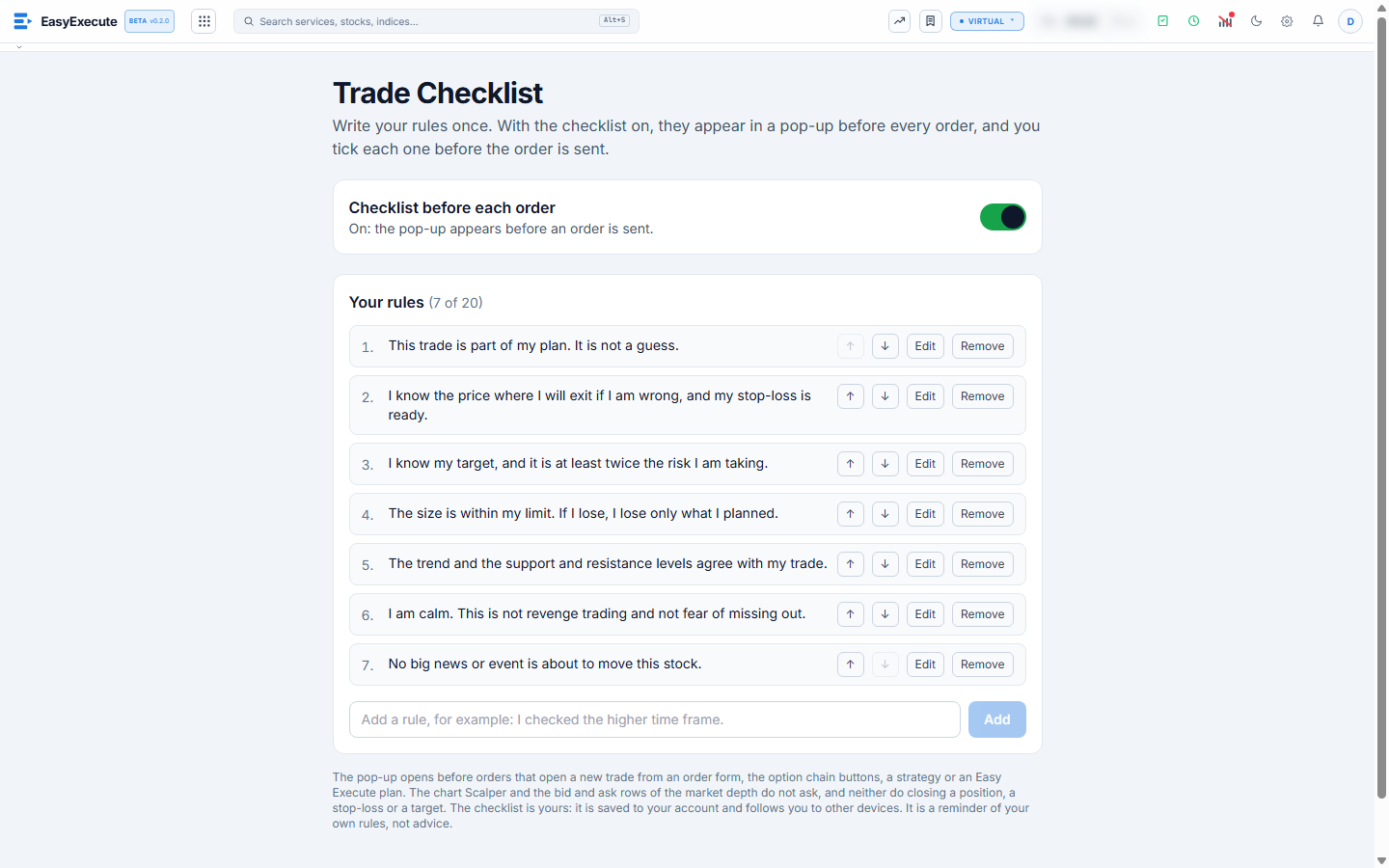
- A starter list of seven rules is there for you: the trade is part of my plan, I know my exit and my stop-loss, my target is at least twice the risk, the size is within my limit, the trend and levels agree, I am calm, and no big news is due.
- Add your own rules (up to 20), edit them, remove them and move them up or down. Press Add and the rule is saved.
- Switch the checklist on or off with the switch on the page, or from the small checklist switch in the chart toolbar. The page is also reached from the Edit checklist link inside the pop-up.
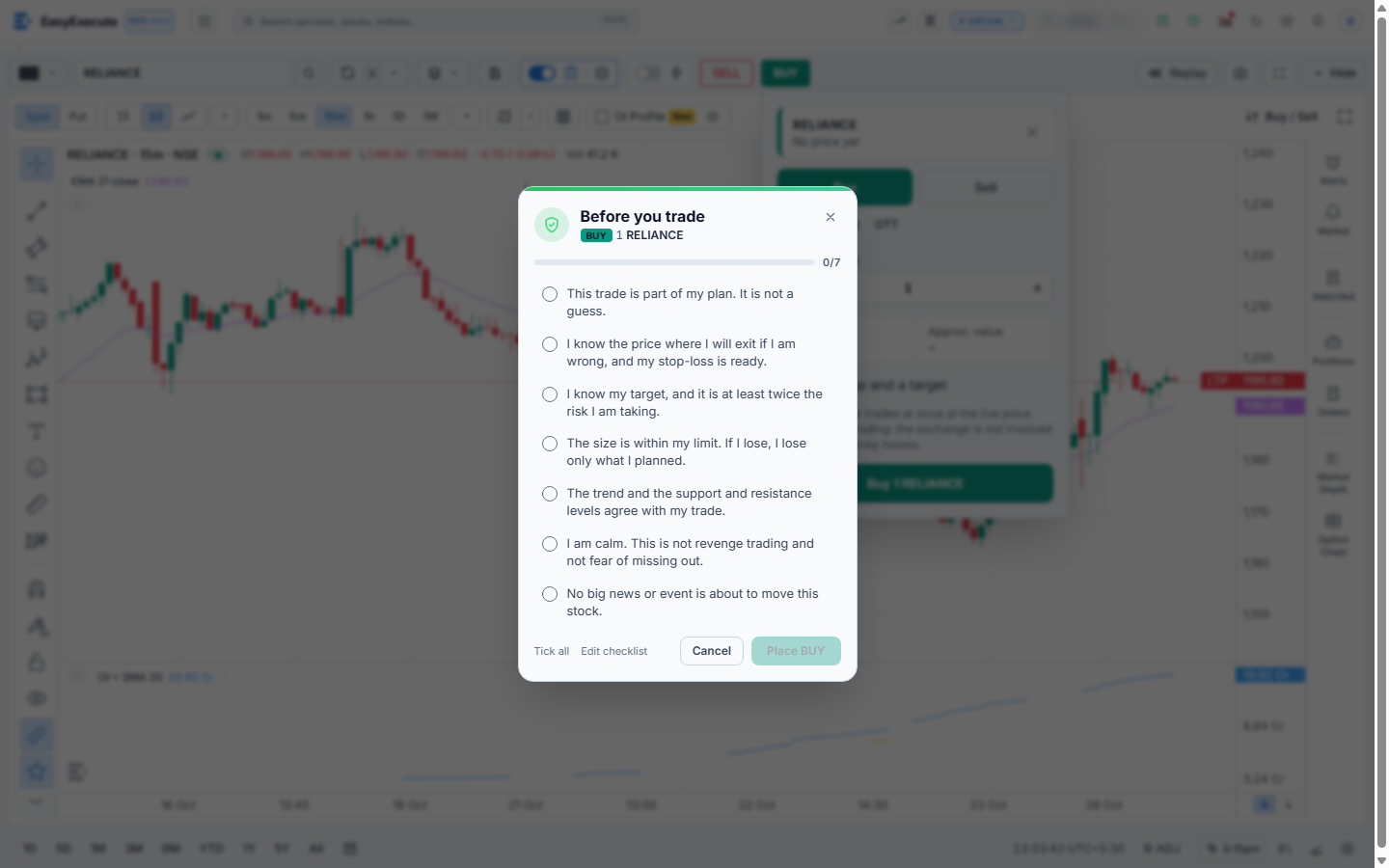
- The pop-up opens when an order would open a new trade: from an order form, the option chain buy and sell buttons, a strategy or an Easy Execute plan. Orders that close a position or set a stop-loss or a target do not ask.
- Tick every rule and the Place button turns on. Cancel sends nothing. Tick all is there for the days you have already checked everything.
- Your list is saved to your account, so it follows you to another device. It is a reminder of your own rules, not advice.
Note. The chart Scalper and the one-click buy and sell buttons of the market depth panel send their orders at once, so they do not ask. Turn the checklist off if you do not want it for a session.