
Easy Execute
Easy Execute: overview
Carry out an order the way professionals do: in pieces.
Big players never push one large order into the market. They split it, time it and protect it. Easy Execute does the same from one screen. You describe the plan, see exactly what it will do, then start it. The plan runs on its own while the market is open.
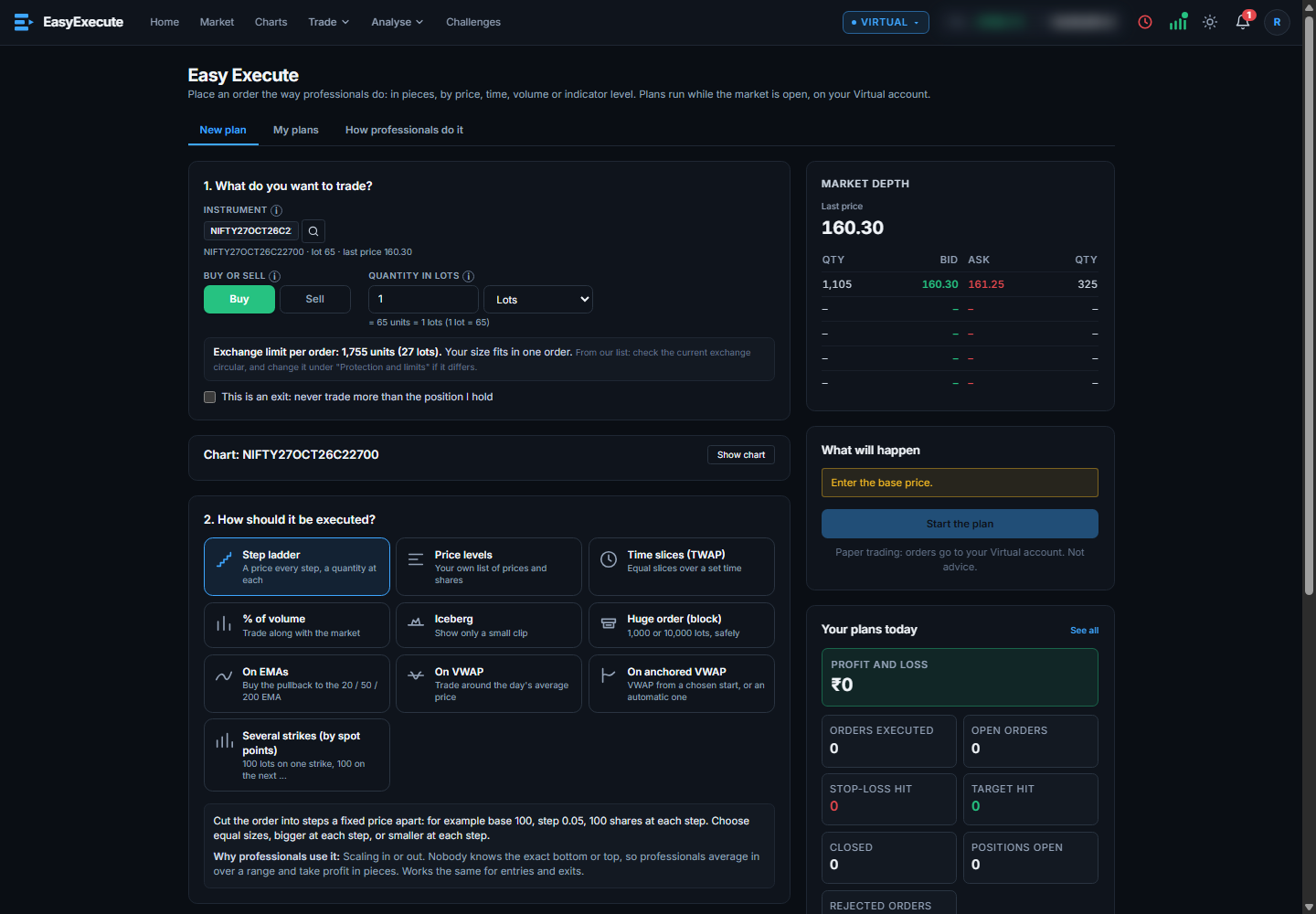
Four steps
- What do you want to trade: search a stock, index, future or option. Choose Buy or Sell and the quantity in lots or units.
- How should it be executed: pick a method (see Methods).
- Settings: fill in the plan. Every field has a small “i” that explains what to enter.
- Read “What will happen”, then press Start the plan.
Good to know
- Lots or units: switch the quantity unit once and every quantity box follows.
- Exchange limit per order: the most the exchange takes in one order (the freeze quantity) is shown. A bigger quantity is split into several orders for you.
- “This is an exit” makes sure the plan never trades more than the position you hold.
- Orders go to your Virtual account only.