
Getting started
Home and menus
Your starting page and where every feature lives.
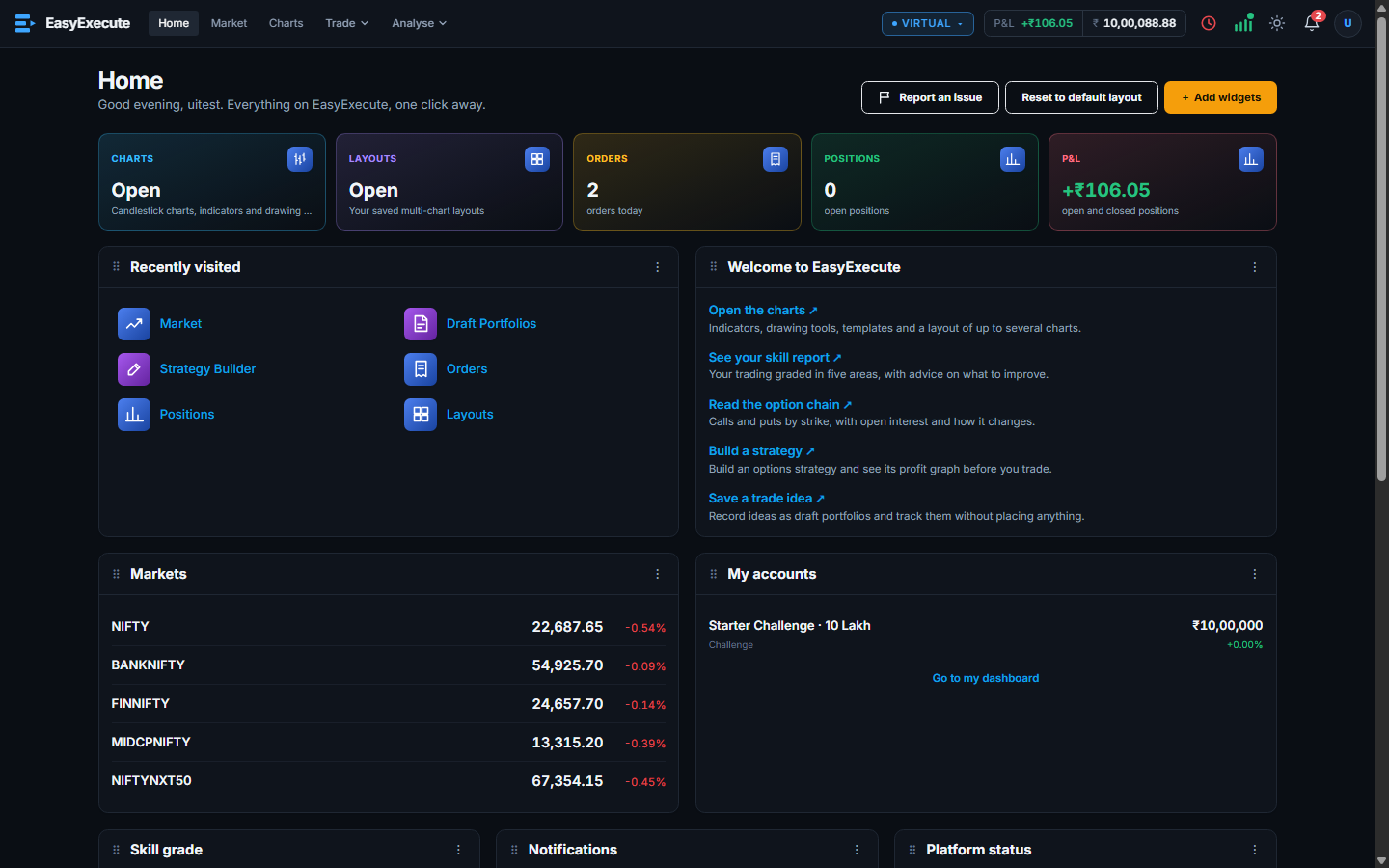
Home is your starting point. A row of shortcut cards sits on top, and below them are widgets you can move and resize.
What you can do
- Shortcut cards for Charts, Layouts, Orders (today), Positions (open) and P&L (total, green or red). A card shows only if you can use that feature.
- A directory of every feature, and the pages you visited recently.
- The Trade and Analyse menus in the header group the tools. The header also shows your account, today's P&L and free money, the market clock, notifications and the theme button.
- The account selector (Virtual and others) decides which account an order goes to.