
Easy Execute: A Trade Execution Tool with Ladders, TWAP, Iceberg and VWAP
Big players never push one large order into the market. They split it, time it and protect it. Most traders cannot do this by hand. Easy Execute puts the same methods in one simple form.
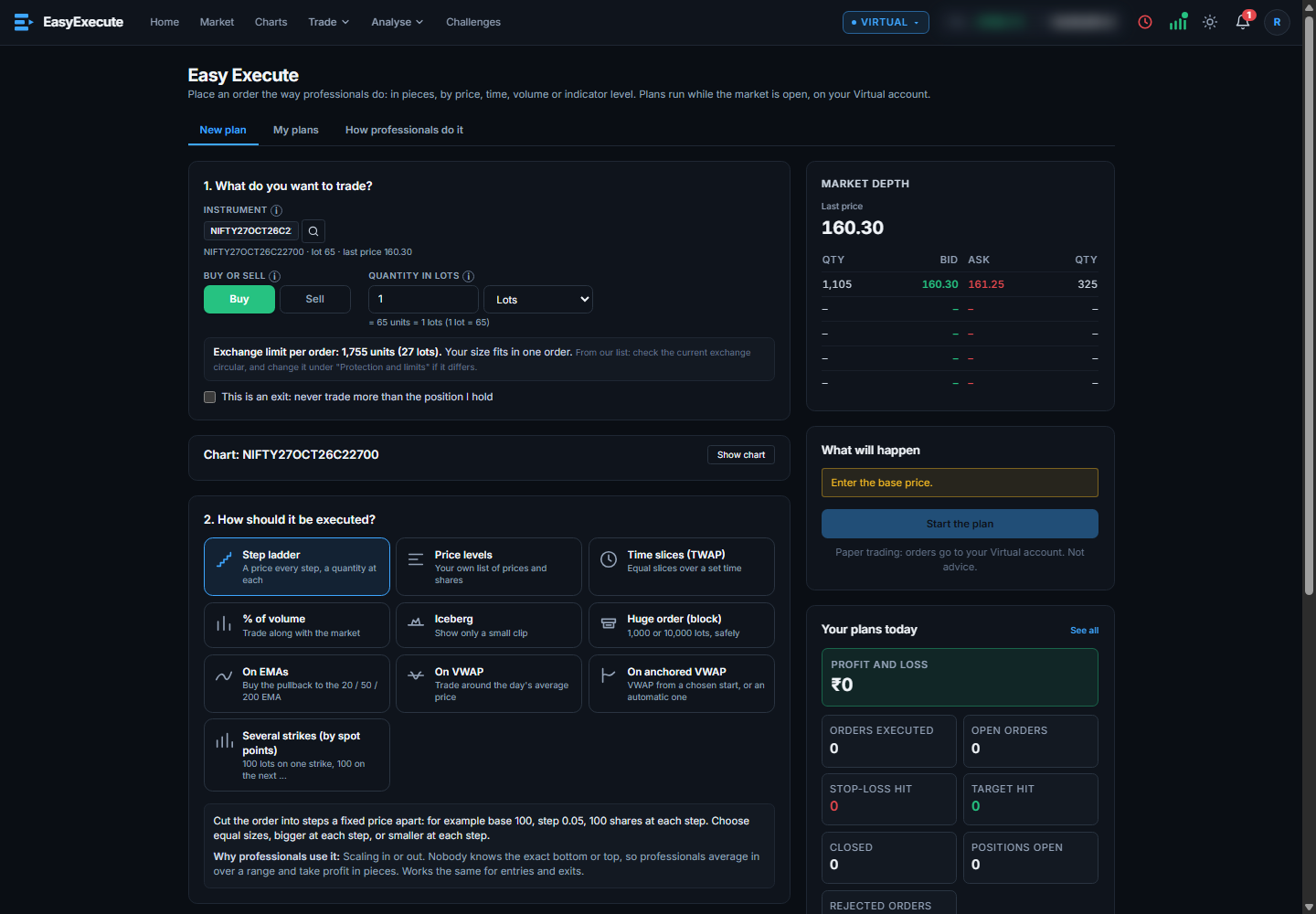
Four steps, one screen
- 1What do you want to trade
Search any stock, index, future or option. Choose Buy or Sell and the quantity in lots or units.
- 2How should it run
Pick a method from the list below.
- 3Fill in the plan
Every field has a small note that says what to enter.
- 4Read, then start
A “What will happen” box shows each order, the margin and the fees. Press Start the plan when it looks right.
The methods
- Step ladder: a price every step, a quantity at each step, from top to down or down to up.
- Price levels: your own list of prices and shares.
- Time slices (TWAP): equal slices over a set time.
- % of volume: trade along with the market.
- Iceberg: show only a small clip at a time.
- Huge orders: thousands of lots, cut to the exchange limit for each order.
- On EMAs: add on pullbacks to the 20, 50 or 200 EMA.
- On VWAP and anchored VWAP: trade around the day’s average price, or from a start you pick.
- Several strikes by spot points: lots on many strikes, each entering when the spot moves.
Why it helps
- Better average price. Many small orders at planned prices can beat one big order at the market.
- Less chasing. Prices are chosen before the market moves you.
- Protection built in. Target, stop-loss and trailing stop can be part of the plan. “This is an exit” makes sure the plan never trades more than the position you hold.
- The exchange limit is handled. The most the exchange takes in one order is shown, and a bigger quantity is split for you.
- Full view while it runs. Live counts: orders, open, stop-loss hit, target hit, closed, positions, rejected, and profit and loss.
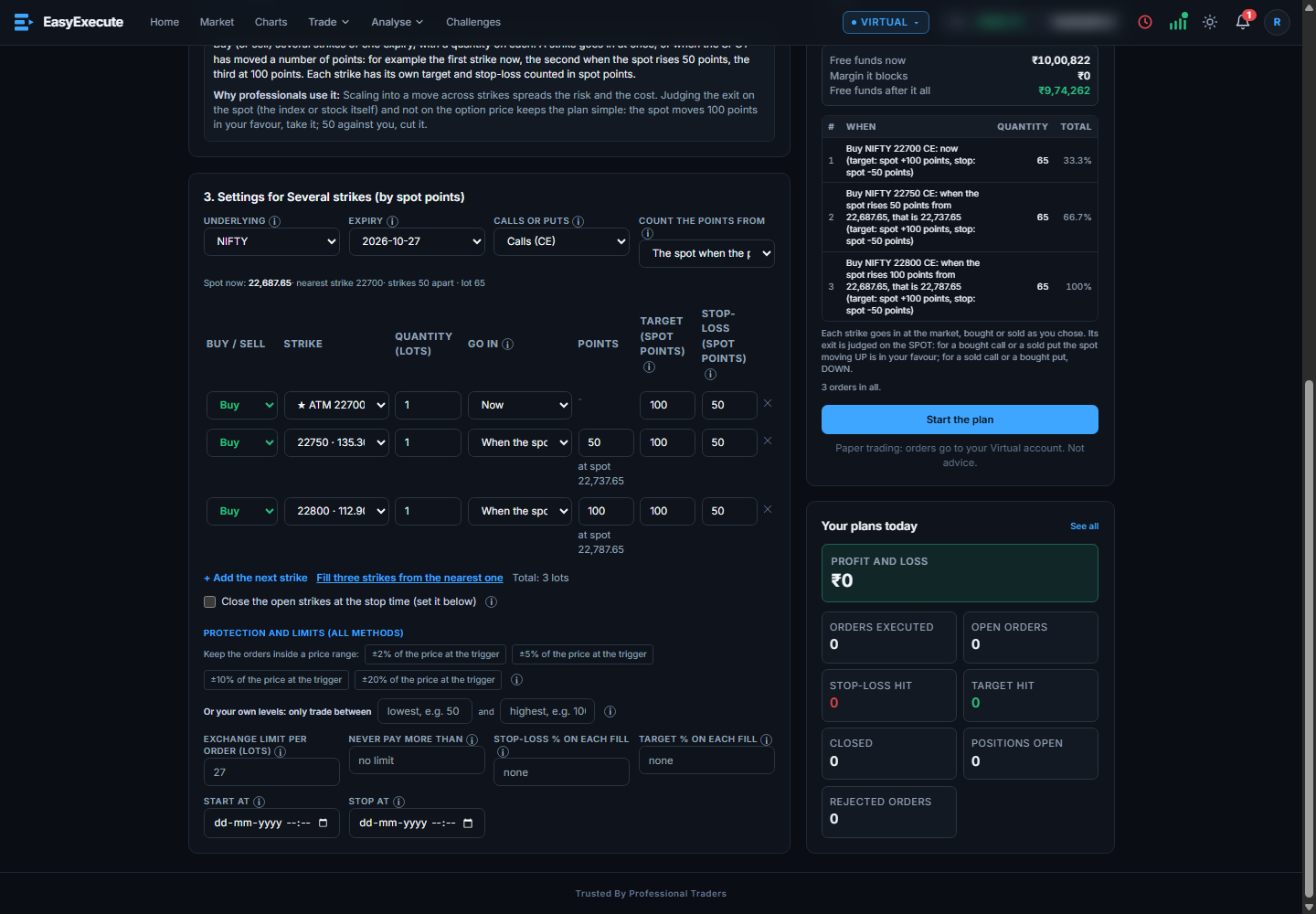
Charts and execution live together in EasyExecute: see the setup, then plan the order. Read about the charts or compare with TradingView.
Want to trade with EasyExecute?
Tell us in one minute what you would pay and what you expect. Early access members hear first when we open the doors.
Fill the early access form → Beta: open to a few invited users. Virtual account for now. No advice, no promise of profit.Questions people ask
What is a trade execution tool?
It is software that carries out an order for you by a plan: it can split it, wait for prices, and manage targets and stop-losses.
What is TWAP?
Time Weighted Average Price. The quantity is split into equal slices over a set time.
What is an iceberg order?
An order that shows only a small part of the total quantity at a time.
Does Easy Execute place real orders?
Not yet. Orders go to a virtual account. A live account is planned.